# Table headers are poorly structured
> How to clear the "Table headers are poorly structured" accessibility error by setting the correct cell type and scope on a table's header cells.
URL: https://www.hannonhill.com/cascadecms/latest/articles/cascade-administration/errors/table-headers-are-poorly-structured.html
category: Cascade Administration
article-type: reference
content-kind: faq
release-availability: all
tags: errors
updated: 2026-10-06
If your content contains a table, you may see this error during accessibility checks:
`Table headers are poorly structured`
Based on the standard being violated, [1.3.1 Info and Relationships](https://www.w3.org/TR/UNDERSTANDING-WCAG20/content-structure-separation-programmatic.html), the cause may be that your table header cells lack scope attributes "to associate header cells and data cells in data tables".
You can add those attributes either directly via the HTML source (if you have access to it), or by editing the table's header cells in the WYSIWYG.
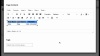
1. Select the table's header cells, right-click, and select **Cell properties**.
- Change the **Cell type** to "Header cell".
- Change the **Scope** to "Column", "Row", or other option as appropriate for your table.
1. Right-click the table's header row (if applicable) and select **Row properties**:
- Change the **Row type** to "Header".
These steps will add attributes to your `| ` elements that look like this example:
```xml
| First Name |
Last Name |
Phone Number |
```