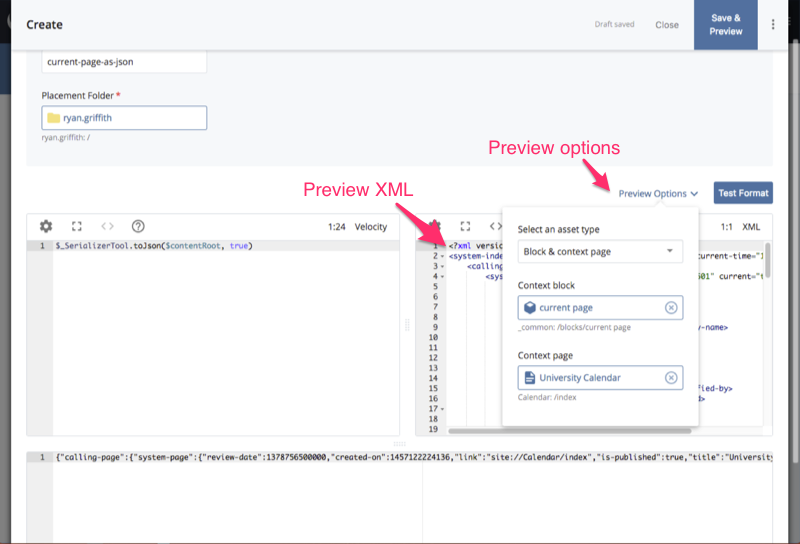
How do I view sample XML when editing a Format?
When writing or debugging a Format, it helps to see the sample XML being applied to it. For a Velocity Format, you may also need a context page to test the built-in $currentPage and $currentPageSiteName variables.
- Edit the Format.
- Above the code, on the right-hand side, open the Preview Options dropdown.
- Select the Block, or the Block+Page, that this Format will transform.
The read-only editor to the right of the Format's code is then populated with the rendered XML based on your selections.